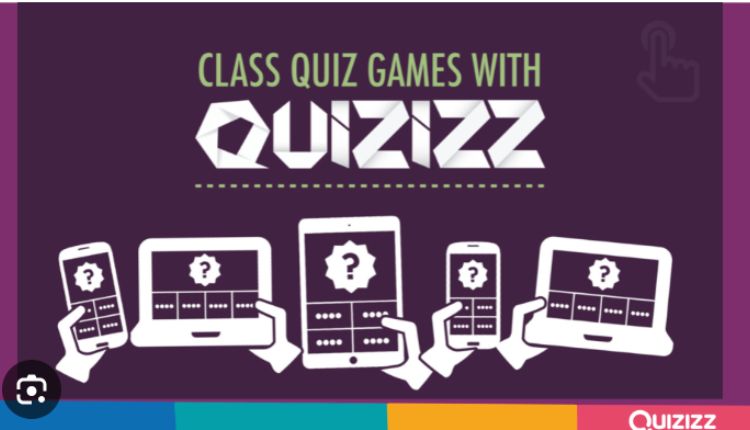
Quizizz is a gamified student engagement tool that lets teachers create and share fun quizzes. Students can join on any device using an access code and see live results.
Teachers can search millions of public quizzes or easily create their own review games on any subject matter. The fun of meme feedback and music will draw students to participate.
Quizzes
Quizzes are a form of gamification and social learning that is used to enhance the engagement levels in a classroom or corporate setting. They can help users to learn faster and more effectively by providing feedback on their performance. They are also a great way to assess how much knowledge a user has retained from previous lessons.
Quizizz is a quizzing tool that allows teachers to conduct formative assessments with their students. Students access the quizzes through a unique access code that can either be conducted live as a timed competition or assigned for homework. It supports various grades and languages, and provides instantaneous student-level reports that are organized by topic.
When creating a quiz, teachers can choose from a library of millions of public quizzes or create their own. They can also select from a variety of question formats, including multiple choice, open ended, draw, drag-and-drop, sequencing objects, scenario-based questions and more. They can choose whether the quiz should be graded or not and can include a corresponding image for each question.
Those who don’t want to pay for the premium version of Quizizz can use the free version, which offers a limited number of features. The premium version costs $10 per month, billed annually. It includes a large library of pre-made quizzes and the ability to create customized quizzes, as well as access to advanced statistics.
One of the best ways to increase engagement in your app is to offer discounts to quiz winners. This will encourage people to keep coming back for more, which can drive user retention and overall growth of your product. You can even consider offering exclusive quiz content, such as video content, to further increase app retention.
Study Flashcards
Whether you’re studying for a test, preparing for an interview, or learning a new language, flashcards are one of the best ways to study. Whether you’re creating them yourself or using an app, these tools make it easier to master key facts and statements. They also use spaced repetition, a memorization technique that helps you learn faster.
Brainscape, an online flashcards platform, has more than 10 million cards on topics ranging from Spanish vocabulary to world geography. It allows you to create and share decks, and also has a built-in library of flashcards created by others. The site uses the same memorization techniques as other digital flashcard apps, including spaced repetition and a method of breaking down large subjects into smaller bits.
The app lets you flip through the card in the same way that you would use paper flashcards, and it can be modified to use different study modes. For example, you can choose to study your cards in the traditional flip-over manner or by using games like fill-in-the-blank, matching, and true/false questions.
You can also add pictures, stories, and emotions to your cards. Research shows that people remember images and emotional cues far better than black-and-white text. This is why it’s important to include these elements in your study cards.
The app includes a leaderboard, which can be turned off if the competitive aspect doesn’t work for your students. Other features, such as question timers and meme feedback, can also be turned off. These features might seem like gimmicks, but they’re useful for keeping your students engaged in their learning. These features also support metacognition, a process that involves the awareness of one’s own learning.
Leaderboards
Quizizz is a great way to engage students with their studies in a fun and interactive manner. It can be used in any classroom, regardless of subject matter or grade level. It can even be used to conduct live quizzes during class or for homework assignments. Teachers can create and manage quizzes with ease, with the ability to customize the quiz question types and settings. The platform also provides gamification features, such as meme editing and music picks, which make learning more fun for students.
The quizzes can be conducted live during a face-to-face class or as homework with a timed deadline. Students can enter the access code to join a quiz session and answer questions as they appear. Afterwards, they can review their answers and submit them to the teacher. Using this feedback, the instructor can analyze student responses to see which areas need more focus in future lessons.
Leaderboards in Quizizz are a great way to encourage competition among students and provide a valuable form of assessment for learners. They can help students improve their performance and achieve higher scores. However, the use of leaderboards can be a bit confusing for new users. Some students fear being judged by others on a global scale, while others may feel demoralized when they are ranked lower than others.
Unlike other quiz tools, which can be difficult to use for beginners, Quizizz is easy to learn and offers many options for educators. Its website includes a 1-page get started guide, training presentation, and a help center. It also features a blog section that highlights new features and techniques. The site is available on desktop and mobile devices.
Meme Feedback
Quizizz is a student engagement platform designed to help with classroom curriculums. It offers gamification functionality along with interactive learning materials such as leaderboards, live video and live chat. It also includes a student dashboard for centralized control of activities. It works on most browsers and devices, including smartphones and tablets. It also features multiple pricing plans billed monthly or annually.
Students can take a quiz as a class or individually. This allows teachers to customize the quiz for their students and get feedback from them on how they are performing. The system also lets teachers email parents with detailed reports on student performance. Students can also retake a quiz if they want to improve their score.
The app’s interface is easy to navigate and is intuitive. It has a drag and drop feature that makes it simple to create a quiz. You can also use the search bar to find a topic or question you want to ask your class. You can also add an image or a meme to make your quiz more fun.
Once you have set up your quiz, you can share it with your students by entering the six-digit code. You can then play the quiz with your students on any device. It’s a great way to review in class or for homework.
The platform has many features that make it stand out from similar tools like Kahoot and Quizlet. Its gamification features include meme editing, music and avatars. The app also has options that allow teachers to turn off a leaderboard and question timer if they do not feel they are necessary. The ability to edit these features is a plus because some students may be motivated by competitive elements and others prefer a more studious experience.
Accessibility
Quizizz makes it easy to create quizzes with both teacher-paced and student-paced options. Its gamification features like meme feedback and music can make it feel more lively for students, or can be turned off for a more studious experience. It also allows teachers to share study flashcards with students after a quiz or lesson, which can be an excellent form of post-assessment.
Students can take the quizzes in the classroom as a live, timed competition or at home with a set deadline. They only need an access code to join the class and can answer questions at their own pace. Teachers can use the platform to host a variety of types of quizzes, from multiple choice and open ended questions to polls and fill in the blanks. They can also search thousands of ready-made quizzes for specific topics, subject areas, and grades and adapt them to their own teaching needs.
With the free Quizizz tier, teachers can host up to 60 students for Live Quizzes and assign homework with a due date. They can also get access to a detailed class-level and individual-level insights through the results dashboard.
In addition to providing a consolidated view of results, the dashboard displays a student-level breakdown of their performance on each question of a particular quiz. This can help teachers identify any gaps in student understanding of the lesson or assessment material and design appropriate remediation activities.
Conclusion:
“Embark on an educational adventure like no other with Quiz Fusion! Dive into engaging quizzes that ignite your curiosity and challenge your knowledge. Whether you’re a student, educator, or lifelong learner, Quiz Fusion promises an interactive and entertaining learning experience. Unlock new horizons of knowledge while having a blast along the way. Get ready to fuse education with entertainment!”
FAQs:
Q1: What makes Quiz Fusion different from other online learning platforms? A: Quiz Fusion is not just another learning platform; it’s an innovative blend of education and entertainment. We curate quizzes that are not only informative but also engaging, using interactive elements, multimedia, and diverse question formats. This fusion ensures that you’re not just memorizing facts, but truly comprehending and enjoying the learning process.
Q2: Are the quizzes suitable for all age groups and knowledge levels? A: Absolutely! Quiz Fusion offers a wide range of quizzes designed to cater to learners of all ages and knowledge levels. Whether you’re a student looking to reinforce classroom concepts, an educator seeking to make lessons more dynamic, or an adult wanting to expand your knowledge, our diverse collection of quizzes has something for everyone. You can select quizzes based on difficulty levels and subjects, ensuring a personalized learning journey